
Agency Tested: 5 Email Automation Workflows Small Businesses Can Copy
An email automation workflow is a triggered sequence that sends the right message to the right person automatically, without a marketer hitting send each time. The main payoff is relevance at scale: welcome series, abandoned cart recovery, post-purchase follow-ups, and re-engagement flows all run themselves once built, which is why they consistently outperform one-off campaigns on engagement and conversions.
TL;DR:
- Most workflows rely on specific triggers like cart abandonment over $50 or new segment tags, which must be precisely defined for effective automation.
- Testing every branch and simulating actions before going live can prevent complex bugs and optimize flow performance from the start.
- Tracking key metrics such as open, click, and conversion rates at each step helps identify where to improve copy, timing, or targeting.
- Simple, high-impact workflows like abandoned cart recovery and welcome series typically outperform longer nurture campaigns in speed and ROI.
- Outsourcing workflow setup and management to experts ensures proper execution of complex logic and continuous performance monitoring.
Table of Contents
- What Is an Email Automation Workflow, Really?
- How Workflows Work: Building Blocks and Logic You Must Master
- How to Plan, Build, Test, and Launch a Workflow
- Workflow Templates Worth Copying
- How Do You Measure Workflow Performance?
- When Should You DIY vs Bring in Help?
- What Actually Pays Off First
- Get Your Email Workflows Built and Managed by Dotxero
- Sources
What Is an Email Automation Workflow, Really?
A workflow differs from a campaign in one fundamental way: it runs on events, not a calendar. A campaign goes out to a list on Tuesday at 10 a.m. A workflow fires when someone actually does something, whenever that happens. That’s the core of what ActiveCampaign defines as an email workflow: a sequence of automated emails triggered by subscriber behavior, built to move someone toward a specific goal.
Common entry points include:
- Form submissions (lead magnet downloads, newsletter signups)
- Completed or abandoned purchases
- Specific page views or product browsing
- Tag or segment changes (someone becomes a “high value” customer)
Once enrolled, a contact usually can’t join the same flow twice unless re-entry rules explicitly allow it. That single mechanism, event-driven enrollment instead of scheduled blasts, is why flows scale so much better for nurturing leads and retaining customers. You build it once, and it keeps working every time the trigger condition is met.
How Workflows Work: Building Blocks and Logic You Must Master
Picture a flowchart, not a list. Most automation platforms expose a visual graph where you connect step types: send email, wait, condition split, webhook, update contact property. Sendkit’s documentation on automations describes exactly this kind of multi-step structure, where actions chain together and branch based on contact behavior.
The logic that matters most:
- Delays control pacing (wait 2 days, wait until Monday, wait until a condition is met)
- Condition splits route people based on actions: did they open, click, or purchase
- Re-entry rules decide whether a contact can cycle through the same flow again
- Editing an active automation typically requires pausing it first, and most platforms track each contact’s status as active, completed, or exited
On the operational side, don’t overlook sending infrastructure. Domain authentication (SPF, DKIM, DMARC) affects deliverability, and most platforms enforce sending limits or require you to warm up a new domain gradually, a constraint the HubSpot Knowledge Base spells out for automated workflow emails. List hygiene matters just as much: a flow feeding on stale or unengaged contacts drags down your sender reputation for every email after it.
Pro Tip: Before building anything, sketch your flow on paper or a whiteboard with every branch labeled. Catching a dead-end path before you build it saves hours of debugging inside the platform later.
How to Plan, Build, Test, and Launch a Workflow
Skipping steps here is where most workflows go wrong. Follow this order:
- Set a measurable goal and one primary metric. Is this flow meant to drive first purchases, reduce cart abandonment, or win back lapsed customers? Pick one metric to judge success, not five.
- Map the journey first. Sketch the full flow, including every branch, before touching the builder. Mailjet’s guidance on building email workflows treats this planning step as the difference between a clean build and a tangled mess of conditions nobody can debug six months later.
- Choose your trigger and segment rules. Be specific: “abandoned cart over $50” behaves very differently than “any cart abandonment.”
- Build personalization tokens. First name, product name, cart contents, purchase history, whatever makes the email feel like it was written for one person.
- Write purpose-driven copy for each step, with one clear call to action per email. Don’t cram three asks into one message.
- Set delays, suppression rules, and re-entry logic. Decide who gets excluded (already purchased, already unsubscribed) before you launch.
- Test every branch. Simulate each path, clicked versus not clicked, purchased versus not purchased, in draft mode before it goes live.
- Launch, then watch per-step metrics closely for the first two weeks and adjust based on where people actually drop off.
Pro Tip: Run new workflows on a small test segment (50 to 100 contacts) for the first few days. It’s a lot easier to fix a broken branch when 80 people saw it, not 8,000.
Workflow Templates Worth Copying
Five automated email workflows account for most of the ROI small businesses see, according to Campaign Monitor’s breakdown of common email workflows. Each one below is a starting template, adjust timing to your audience.
- Welcome series: Trigger on signup. Email 1 immediately (set expectations), email 2 at day 3 (share your best content or a top product), email 3 at day 7 (soft offer or social proof).
- Abandoned cart: Trigger 1 hour after abandonment. Email 1 is a simple reminder, email 2 adds reviews or social proof, email 3 offers a modest discount, with suppression the moment they complete the purchase.
- Post-purchase: Order confirmation immediately, a how-to or usage tips email a few days later, then a review request or cross-sell 2 weeks out.
- Lead nurture from a content download: Two or three value-driven emails, followed by a case study, then a direct demo or consultation invite.
- Re-engagement: A “we miss you” email to contacts inactive 60 to 90 days, an incentive if no response, then automatic suppression or list cleanup if they still don’t engage.
Ecommerce businesses get extra mileage by connecting these flows directly to store events, order data, refunds, and browsing behavior all feed richer triggers, something Metorik’s automated email marketing tools are built specifically to handle.
How Do You Measure Workflow Performance?
Track these at every step, not just at the workflow level: enrollment count, open rate, click-through rate, conversion rate per email, and revenue per recipient. A flow with a strong open rate on email 1 and a cliff by email 3 is telling you exactly where the problem lives.
- Low opens on a specific email: rewrite the subject line first
- Good opens but weak clicks: the body copy or offer isn’t landing
- Clicks but no conversion: check the landing page and the CTA itself
- High unsubscribes on one email: you’ve likely mistimed it or sent it too often
Run one variable at a time: subject line A/B tests, send-time experiments, or testing an educational email against a discount offer in the same slot. Watch frequency too. A welcome series spread over about a week rarely causes fatigue, while very frequent emails in a short cart sequence can sometimes overwhelm recipients. Conversions from a workflow typically build gradually rather than spike immediately, and agencies commonly report faster measurable ROI from cart recovery and welcome series than from longer nurture sequences.
When Should You DIY vs Bring in Help?
If you have clean list data, one clear goal, and a few hours a week, building a welcome series or cart recovery flow yourself is realistic. Complexity is where things break: multi-branch logic, webhook integrations, and cross-platform data (site behavior plus purchase history plus CRM tags) is where Dotxero most often gets called in to fix broken flows.
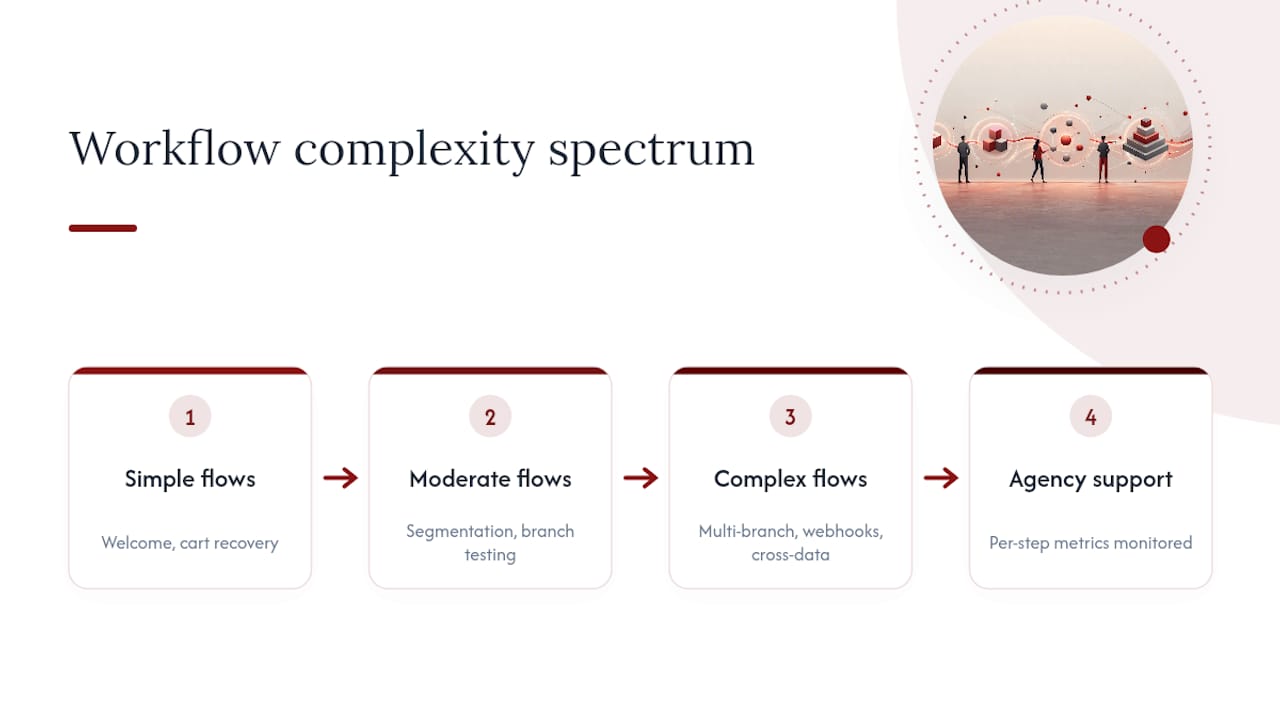
The recurring issues we see: segmentation rules that silently exclude the wrong people, webhooks that fail quietly and never get noticed, and workflows launched without testing every branch first. Getting agency support means someone is watching per-step metrics from day one, not three months after a flow has been underperforming.
What Actually Pays Off First
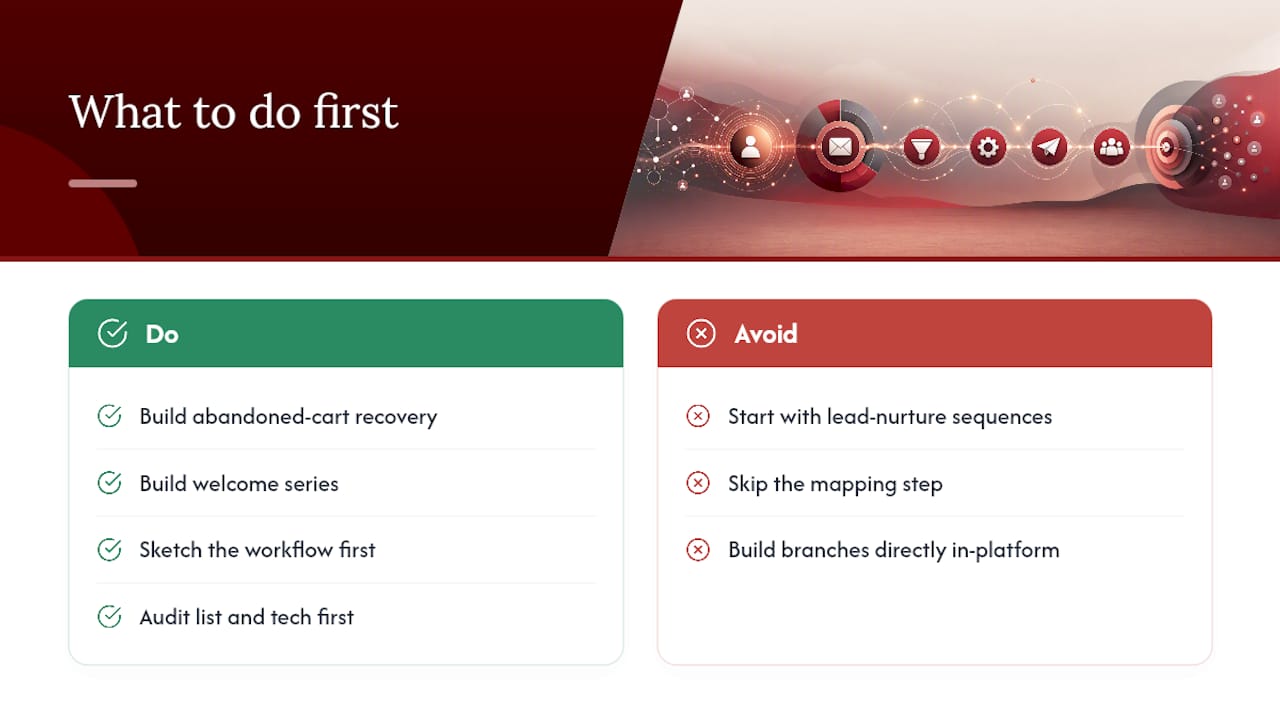
If you build only one workflow this quarter, make it abandoned cart recovery or your welcome series. Both convert faster than lead-nurture sequences, and both are simple enough to launch in a week with the templates above. Everything more complex, multi-branch re-engagement, cross-sell logic tied to purchase history, can wait until the basics are running clean.
The biggest mistake I see isn’t bad copy. It’s businesses skipping the mapping step and building branches directly in the platform, then wondering why contacts vanish into dead ends. Sketch it first. If your list or tech stack is a mess, that’s worth a conversation before you build anything.
— Will
Get Your Email Workflows Built and Managed by Dotxero
Building a flow from scratch is one thing. Keeping it tested, monitored, and actually converting month over month is where most small business owners run out of bandwidth. Dotxero handles the full setup for Las Vegas businesses: strategy, segmentation, email copy, branch testing, and performance reporting, so you’re not the one debugging a broken webhook at 11 p.m.
We work with law firms, contractors, retailers, and jewelers across Las Vegas who need workflows that reflect their actual customer behavior, not a generic template. That means welcome series and cart recovery flows built around your real data, tested branch by branch before launch, and reported on in plain numbers: opens, clicks, conversions, and revenue per email. If your current setup is guessing instead of measuring, start with a look at Dotxero’s email marketing services and get a workflow built around what your customers actually do.
Sources
- What is an Email Workflow? – ActiveCampaign
- Email automation workflows: What are they and how to build one | Mailjet
- What Is an Email Workflow? | Campaign Monitor
- Send automated emails in workflows – HubSpot Knowledge Base