
Close the Loop on Calls: Agency DNI & CRM Checklist for Google Ads
For most advertisers, Google’s native call reporting handles basic call-count conversions just fine. Once you need to know which keyword generated a call, or worse, which call generated actual revenue, you need Dynamic Number Insertion paired with a CRM import. You’ll need a Google Ads account with admin access, either Google Tag Manager or the ability to edit your site’s code, and a CRM that can log call outcomes if you want closed-loop reporting. Everything below walks through both paths, step by step.
TL;DR:
- Dynamic Number Insertion provides keyword-level attribution, but requires proper session persistence and enough pool size to avoid attribution errors.
- Google native call tracking offers basic call counts but cannot distinguish which specific keyword or ad generated the call without DNI.
- CRM integration is essential for revenue-based optimization, as it links call outcomes directly to ad campaigns and keywords.
- Proper setup includes verifying URL parameters are preserved, correctly sizing number pools, and ensuring call tracking is tested end to end.
- Most attribution issues stem from mismatched URL parameters, undersized pools, or local area code mismatches, which must be monitored regularly.
Table of Contents
- How Google’s Native Call Tracking for Google Ads Actually Works
- What Is DNI and Why Does It Matter for Keyword-Level Attribution?
- Google Native, DNI, or CRM Import: Which One Do You Actually Need?
- Setting Up Website Call Conversions With a Google Tag or GTM
- Deploying DNI and Connecting It to Google Ads
- Turning Call Outcomes Into Closed-Loop Attribution
- Fixing the Problems That Break Call Tracking in Practice
- How Dotxero Builds and Manages Call Tracking Systems
- What the Data Actually Tells You to Prioritize
- Get Call Tracking Built and Managed Without the DIY Guesswork
- Sources
- FAQ
How Google’s Native Call Tracking for Google Ads Actually Works
Google measures phone calls three separate ways, and mixing them up is the single most common reason advertisers misread their own reports. Calls from ads count taps on a call extension or call-only ad directly in the SERP. Calls from website visits track when someone lands on your site from an ad, then dials a number displayed there. Calls via uploads cover offline conversions you import manually or through a CRM feed.
The website version depends on Google forwarding numbers (GFNs). When you enable this in your account, Google Ads swaps your displayed number for a dynamically generated one for visitors who arrive through an ad click, enabling call attribution. When that visitor calls, Google’s system logs the call and reports it back against the original ad, keyword, and campaign.
Here’s what makes GFN data genuinely useful rather than just a count:
- Call duration, so you can filter out one-second hang-ups and wrong numbers
- Start time, which helps you cross-reference against business hours or staffing gaps
- Caller phone number for calls lasting longer than 15 seconds, in markets where this is enabled
- Whether the call originated from search, Display, or another network
None of this works automatically. You need to call reporting turned on at the account level, and if you’re running call assets or call-only ads, those need to be linked to a verified Business Profile for local number matching to behave consistently. Skip this step and you’ll see calls logged with a generic toll-free number instead of your local area code, which quietly hurts answer rates before you even get to the attribution question.
What Is DNI and Why Does It Matter for Keyword-Level Attribution?
Google’s native reporting tells you a call happened. Dynamic Number Insertion tells you which keyword, ad group, or even individual ad variation caused it. That distinction is the entire reason DNI exists, and it’s why agencies managing serious ad spend rarely rely on Google’s forwarding numbers alone.
DNI works by assigning a unique phone number to a visitor’s session the moment they land on your site, using the gclid parameter (Google’s auto-tagging identifier) or UTM parameters to identify where that visitor came from. A call-tracking API pulls a number from a pool, maps it to that session, and swaps it into the page dynamically. Twilio’s explainer on DNI describes this as attributing calls “back to the originating ad or channel,” which is a cleaner outcome than anything Google’s basic call assets deliver on their own.
What you actually get out of this setup:
- Keyword-level call data tied to the specific search term that triggered the visit, not just the campaign
- Landing page and referrer detail, useful when you’re running several variants and need to know which one converts callers, not just clickers
- Bid optimization inputs, since you can now feed Google Ads real call outcomes instead of guessing which keywords are worth a higher CPC
The catch is technical, and it’s the same one every DNI vendor will eventually mention: session persistence. If a visitor’s cookie expires or they switch devices between the click and the call, the mapping breaks. And if your number pool is undersized, two different visitors can get assigned the same number close together, muddying which session actually produced the call. VeloCalls’ setup guide notes that gclid data has to be preserved end to end and passed to the DNI platform for keyword metadata to attach correctly. If your landing pages strip URL parameters on redirect, this call attribution system stops working, often without immediate notice.
Pro Tip: Before troubleshooting anything else, check whether your landing pages are stripping query parameters on load. It’s the single most common reason DNI attribution looks broken when the setup itself is fine.
Google Native, DNI, or CRM Import: Which One Do You Actually Need?
Not every business needs the full stack. Matching the method to your actual reporting needs saves both budget and implementation headaches.
Google native call reporting is enough when:
- Call volume is low and you mainly want a basic count of leads generated
- You’re optimizing budget allocation at the campaign level, not the keyword level
- You don’t have developer access or a marketing platform team to manage anything more complex
DNI earns its cost when:
- You need to know which keyword or ad is producing calls, not just which campaign
- You’re running across multiple channels (search, Display, social) and want calls attributed consistently across all of them
- Your sales cycle is short enough that call quality can be judged quickly
CRM import and closed-loop attribution become necessary when:
- You’re optimizing for revenue, not lead count, and Google’s default bidding needs real outcome data
- Your sales cycle involves multiple touchpoints before a call turns into money
- You’re already logging calls in a CRM and just need to connect that data back to Ads
Before picking a path, check three things: whether you have technical access to your site or GTM, what your realistic monthly call volume looks like, and whether your jurisdiction has call recording consent rules that affect what you can capture.
Setting Up Website Call Conversions With a Google Tag or GTM
This is the baseline setup every advertiser running phone-driven campaigns should have in place before layering on anything more advanced.
- Create the conversion action. In Google Ads, go to Conversions and create a new phone call conversion. Choose “calls to a number on my website” as the source, not “calls from ads.”
- Install the Google tag. Google provides a snippet that replaces your displayed number with a forwarding number for ad-driven visitors. If you’re using Google Tag Manager instead, build a tag using your Conversion ID and Conversion label, paired with a trigger that fires on
tel:link clicks. - Set your conversion parameters. Decide a minimum call duration (Google defaults to 60 seconds, though many advertisers lower this), pick a counting method (one conversion per call vs. per click), and set your conversion window.
- Test the full path. Click through from an actual ad (or a test ad with a controlled budget), confirm the forwarding number displays, place a test call of sufficient length, and check that it shows up in Google Ads within a few hours.
Google’s own setup documentation walks through the phone snippet and GTM configuration in more detail, and it’s worth following closely, since a mismatched Conversion ID is the most common reason this silently fails.
A few things trip people up consistently: phone number formatting matters more than it should. A number written as +1 (702) 555 0100 versus 17025550100 can cause the tel: trigger to misfire in GTM if your regex isn’t accounting for both formats. Google also only lets you track one number per page through the basic snippet method, so multi-location sites need a page-by-page setup or a DNI platform instead. And mobile taps behave differently than desktop clicks, so don’t assume your desktop test proves anything about mobile conversion firing.
Google’s forwarding numbers can analyze call content with AI to flag high-quality leads, or fall back to a simple duration threshold, depending on recording availability and country eligibility. That AI scoring is only live where call recording is enabled and both parties are in a supported country, the U.S. included.
Deploying DNI and Connecting It to Google Ads
Once you’ve decided keyword-level attribution is worth the extra setup, the DNI implementation checklist looks different from the basic tag install above.
- Confirm auto-tagging is on. Google Ads needs to append the gclid parameter to your destination URLs automatically, and your landing pages need to preserve that parameter through any redirects rather than stripping it.
- Deploy the DNI snippet and test cookie persistence. Load a page, confirm a session cookie is set, navigate to a second page, and verify the same tracking number still displays.
- Size your number pool correctly. A pool that’s too small relative to your peak concurrent visitor count causes attribution bleed, where two visitors get the same number close together and their calls get credited to the wrong session. A reasonable rule of thumb, per MeasureSchool’s implementation guide, is sizing the pool somewhat above your expected peak concurrency to prevent overlap, not your average.
- Integrate the platform with Google Ads, either through a native connector or by exporting call data for offline conversion import.
- Run a controlled test flow. Click a live ad, note the assigned number, place a call, then check whether the DNI platform’s report and Google Ads’ conversion report agree on the keyword and campaign.
Pro Tip: If your reports show more unique numbers used than your pool should logically produce in a day, that’s your first sign the pool is undersized, not that something else is broken.
Troubleshooting attribution mismatches almost always starts with checking whether gclid survived the landing page redirect chain. If it didn’t, no amount of DNI configuration downstream will fix it.
Turning Call Outcomes Into Closed-Loop Attribution
Call count tells you activity happened. It doesn’t tell you whether that activity made money, and this is where a lot of advertisers stop measuring too early. Closed-loop attribution means feeding actual call outcomes, sale, no-sale, appointment booked, back into Google Ads so bidding decisions reflect revenue instead of raw volume.
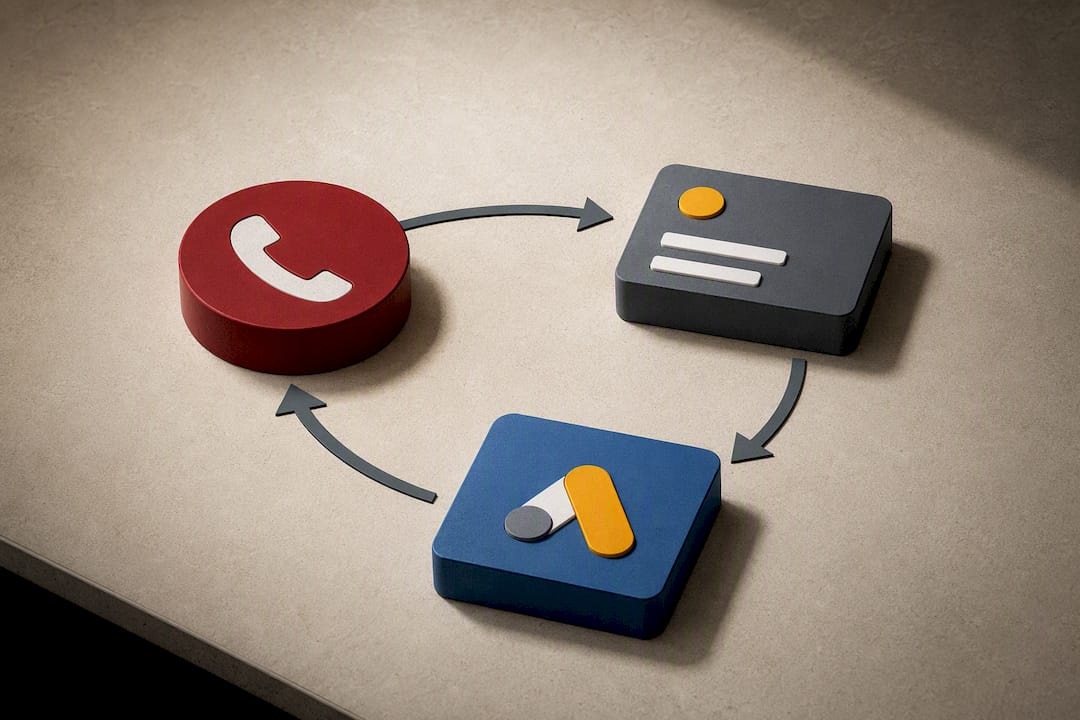
The workflow runs in three stages. Your CRM captures the call identifier when it comes in, ideally paired with the tracking number that generated it. A sales rep or automated system then classifies the outcome, sale value, appointment set, disqualified lead. That classified data gets formatted and uploaded to Google Ads as an offline conversion, either through a manual CSV upload or an API connection.
For matching to work reliably, your CRM record needs:
- The caller’s phone number
- A unique call ID or timestamp precise enough to match against the DNI or GFN log
- The classified outcome and, ideally, a dollar value
Google explicitly recommends this offline import approach for lead-generation businesses trying to link revenue back to specific ad interactions, rather than relying on call count as a proxy. That distinction matters more than it sounds.
Fixing the Problems That Break Call Tracking in Practice
Most call-tracking failures trace back to a handful of repeat offenders, not exotic edge cases.
- Undersized number pools cause attribution bleed, as covered above. Monitor your ratio of unique numbers assigned per day against your pool size weekly, not quarterly.
- Number formatting inconsistencies in GTM, particularly around plus signs and country codes, break
tel:triggers silently. Standardize on one format across every tag. - Area code mismatch matters more than people assume. Google’s forwarding numbers try to preserve your local area code when one is available, falling back to toll-free when it isn’t, and a toll-free number can measurably dent answer rates for local service businesses where callers expect a local prefix.
- Call recording and AI scoring require consent in many states and countries. Confirm your recording setup complies with local law before turning it on, and treat AI lead-quality scores as a directional signal, not a verified fact, until you’ve cross-checked a sample against real outcomes.
Pro Tip: Run a monthly QA check where someone actually places a test call from a fresh device, no cached cookies, no logged-in session, and confirms the entire chain from ad click to CRM entry still works end to end.
How Dotxero Builds and Manages Call Tracking Systems
Dotxero runs call-tracking implementations through a consistent sequence: audit the client’s current setup, pick the right method (native, DNI, or CRM import) based on call volume and reporting goals, deploy the tags or platform integration, run QA against live test calls, then move into ongoing reporting and bid optimization.
To get started, Dotxero typically needs Google Ads account access, either Google Tag Manager or direct site access for tag deployment, and, when closed-loop attribution is the goal, API or export access to the client’s CRM. Since 2007, Dotxero has built and managed Google Ads campaigns for Las Vegas businesses across law firms, contractors, jewelers, and retail, industries where a missed or mistracked phone call is a lost sale, not just a missed data point.
What the Data Actually Tells You to Prioritize
Most advertisers treat call tracking as a box to check rather than a revenue instrument, and that’s backwards. A call count without an outcome attached is barely more useful than a raw click count. It confirms interest, not value.
The conventional advice tends to stop at “turn on call reporting” and call it done. That’s the floor, not the ceiling. The real leverage sits in closed-loop attribution: feeding actual sale outcomes back to Google Ads so its bidding algorithm optimizes for revenue rather than volume. Skip that step and you’re letting the platform chase whichever keyword generates the most phone activity, regardless of whether those calls convert to anything.
If you’re setting priorities with limited time, get basic website call conversions working first, then layer in DNI only once you actually have the call volume to justify keyword-level detail. CRM import comes last but matters most. It’s the piece that turns a call log into a bidding signal, and it’s the piece most businesses skip because it takes coordination between sales and marketing that a simple tag install doesn’t require.
— Will
Get Call Tracking Built and Managed Without the DIY Guesswork
Dotxero is the alternative to piecing together GTM tags, DNI vendors, and CRM exports on your own, handling the entire setup so your Google Ads account reflects real call outcomes, not just call counts.

The typical engagement starts with an audit of your current tracking (or lack of it), followed by implementation of whichever combination fits your call volume and sales process: native call conversions, DNI for keyword-level attribution, or a full CRM import for closed-loop reporting. You get:
- Google Ads conversion actions configured and verified with live test calls
- Tag Manager or site-level implementation, including
tel:triggers and Conversion Linker setup - CRM integration for offline conversion imports where revenue attribution is the goal
- A verification pass and handover report showing exactly what’s tracking and where
If your site needs structural changes to support tracking, Dotxero’s website development team handles that directly rather than punting it to a separate vendor. And because call tracking only matters if the underlying campaigns are worth optimizing, Dotxero’s Google Ads management service folds tracking setup into ongoing bid strategy rather than treating it as a one-time install. If you’re running ads and still can’t say which keyword produced your last ten sales calls, that’s the gap worth closing first. Get in touch to scope out what your setup actually needs.
Sources
Google’s own documentation remains the most reliable source for exact setup steps, since UI details shift over time. Start with Measure calls from ads for how the three call-source types work, and Set up tracking calls to a phone number on a website for the phone snippet and GTM configuration.
For DNI specifics, Twilio’s glossary entry explains the underlying mechanics, while VeloCalls’ setup guide covers pool sizing and troubleshooting in more depth. Proxium Digital’s guide to tracking website calls offers a complementary walkthrough of the same core methods.
- Google Ads Phone Call Conversion Tracking Tutorial – MeasureSchool
FAQ
How much does call tracking cost?
Google’s native call reporting is free once you configure it inside your existing Google Ads account. Third-party DNI platforms typically charge per tracking number plus a per-minute or per-call fee, and pricing varies enough by provider that it’s worth requesting quotes based on your actual expected call volume.
Is $20 a day good for Google Ads?
A $20 daily budget can work for a very narrow, low-competition local campaign, but it rarely generates enough call volume to produce statistically meaningful keyword-level data for optimization. Most businesses relying on phone leads need a larger daily spend before call tracking data becomes actionable rather than anecdotal.
How does call reporting work in Google Ads?
Google Ads reports calls through three sources: calls from ads (tapping a call extension), calls from website visits (via forwarding numbers), and calls via uploads (CRM imports), with duration and, in supported markets, caller number data attached to each. Google can also apply AI analysis to call recordings to flag high-quality leads where recording and consent requirements are met.
Are Google call ads going away?
Call-only ad formats and call extensions have evolved into call assets within standard ad formats, but call reporting and phone conversion tracking remain fully supported features in Google Ads. There’s no indication that call measurement itself is being phased out, only that the ad formats around it continue to consolidate.
What’s the difference between DNI and Google’s forwarding numbers?
Google’s forwarding numbers work automatically once call reporting is enabled and mainly attribute calls to campaigns and ads. DNI platforms assign numbers at the session level using gclid data, which allows attribution down to the specific keyword, something Google’s basic setup doesn’t provide on its own.